
 listicle
Best Ways to Sync Card Inventory
Table of Contents
- Why Syncing Card Inventory Matters
- Quick Comparison: Sync Methods at a Glance
- Trading Card Inventory Management Software
- MTG Card Inventory Spreadsheet: The Manual Alternative
- How to Sync Trading Card Inventory Across Devices
- Multi-User Inventory Management for Card Sellers
- Sync Accuracy, Latency, and Conflict Resolution
- Which Sync Method Should You Choose?
- Frequently Asked Questions
Last Updated: October 5, 2026
Why Syncing Card Inventory Matters
Managing trading card inventory across multiple channels, whether you're selling at shows, online marketplaces, or your own storefront, creates a real problem: duplicate listings, overselling, and pricing chaos. The best ways to sync card inventory solve this by keeping your stock levels accurate in real-time across every sales channel.
For card dealers operating at events or managing multiple online listings, inventory synchronization isn't optional. It's the difference between running a tight operation and constantly firefighting stock conflicts.
The challenge is choosing the right approach. Should you use dedicated inventory management software, rely on spreadsheets, or use marketplace sync tools? Each method has tradeoffs in complexity, cost, and reliability. Below, we'll walk you through the major strategies and tools that actually work for trading card dealers.
Quick Comparison: Sync Methods at a Glance
| Method | Best For | Setup Time | Real-Time Sync | Cost |
|---|---|---|---|---|
| Event-scoped software (Card Show Vendor) | Show vendors, multi-user teams | 30 minutes | Yes | Subscription |
| Spreadsheet + manual updates | Solo collectors, small inventories | 15 minutes | No | Free |
| Marketplace sync tools (Sellbrite) | Multi-channel sellers | 1-2 hours | Yes | $29+/month |
| Cloud documents (Google Sheets) | Budget-conscious teams | 10 minutes | Semi | Free |
| Card scanning apps | Quick inventory capture | 20 minutes | App-dependent | Varies |
Trading Card Inventory Management Software
Dedicated inventory management software built specifically for trading cards eliminates the guesswork. These platforms handle stock tracking, pricing updates, and multi-user collaboration, critical when you're managing inventory at events with multiple team members.
Card Show Vendor: Event-Scoped Sync with Multi-User Attribution
Card Show Vendor is purpose-built for dealers who need to manage inventory and pricing in real-time at shows. The platform combines event-scoped inventory management with live pricing updates, so your entire team stays synchronized on stock levels and pricing decisions.
What sets it apart: the multi-user attribution feature. When you're working a busy booth, you need to know who made each sale, adjusted pricing, or added inventory. Card Show Vendor tracks this automatically, making end-of-day reconciliation and profit-and-loss reporting straightforward.
The platform delivers what dealers actually need: clear, real-time data without unnecessary complexity. You get accurate profit tracking, simplified team collaboration, and the ability to adjust pricing on the fly based on demand. For show vendors managing multiple events per month, this eliminates hours of manual spreadsheet work.
InVelocity: Capacity-Based Inventory Sync
InVelocity offers trading card inventory management with pricing tiers based on inventory capacity. Starting at $49.99 per month for up to 2,500 items, it's designed for dealers who need structured inventory tracking without event-specific features.
The capacity-based model works well if you know your inventory size. However, for show vendors who may have different inventory at each event, this fixed-capacity approach can feel restrictive. You're paying for capacity whether you use it or not, and scaling up costs more.
Sellbrite: Marketplace Sync for Multi-Channel Sellers
Sellbrite focuses on synchronizing inventory across multiple online marketplaces. With free and paid plans starting at $29 per month, it's built for sellers managing listings on TCGPlayer, eBay, Shopify, and similar platforms simultaneously.
The strength here is real-time sync: list a card on one platform, and Sellbrite automatically updates your stock across all connected channels. This prevents overselling, which is the nightmare scenario for multi-channel sellers. However, Sellbrite isn't optimized for event-based selling or offline booth operations. If your primary sales channel is in-person shows, you'll find it over-engineered for your needs.
MTG Card Inventory Spreadsheet: The Manual Alternative
Spreadsheets remain the most accessible option for solo collectors and small dealers. Google Sheets or Excel give you complete control, no subscription fees, and the flexibility to customize tracking exactly how you want it.
The tradeoff is obvious: manual updates. Every time you sell a card online or at a show, you're manually adjusting the spreadsheet. This works fine if you're managing 500 cards and selling a few per week.
A common approach is creating a master inventory sheet, then separate tabs for each sales channel. At the end of each day, you manually reconcile sales and update quantities.
Many dealers start with spreadsheets, then migrate to dedicated software once the manual work becomes unsustainable. If you're just testing the waters or managing a small collection, spreadsheets are fine. But they don't scale.
How to Sync Trading Card Inventory Across Devices
Real-time sync across multiple devices requires either cloud-based software or a structured manual process. Here's how each approach works.
Real-Time Sync via Cloud Platforms
Cloud-based inventory management platforms automatically update across all connected devices. When you add cards to inventory on your iPad at a show, the same changes appear instantly on your laptop and phone. This eliminates the lag and manual reconciliation that plague spreadsheet-based systems.
The mechanism is straightforward: all data lives on a central server, not on individual devices. Any user can access and modify inventory, and changes propagate immediately. For multi-user teams, this is essential. Without it, two team members could simultaneously adjust the same card's quantity, creating conflicts.
Most dedicated inventory platforms use this approach. Card Show Vendor syncs across web and iPad apps, ensuring you're always viewing current stock levels. Sellbrite syncs to connected marketplaces. The setup is usually simple: create an account, connect your devices, and start entering data.
Card Scanning and Automated Import
Scanning cards into your inventory system is faster than manual entry, especially for large collections. Apps allow you to scan card barcodes or use image recognition to identify cards, then import them directly into your collection with pricing data.
The workflow is straightforward: open the scanning app, point your phone camera at a card, and the app identifies it and logs it in your inventory. Bulk scanning a collection of 500+ cards takes an hour or two instead of a full day of manual data entry. Many scanning apps sync results to cloud storage, so you can export the data into your primary inventory system afterward.
The limitation: not all cards have barcodes, and image recognition accuracy varies by card condition and age. Modern cards scan reliably; older or heavily played cards may require manual correction.
Preventing Overselling Across Channels
Overselling happens when the same card sells on multiple platforms before inventory updates propagate. A customer buys a card on TCGPlayer, but before your eBay listing updates, another customer purchases it there. You've just oversold and created a customer service nightmare.
Real-time sync prevents this. Platforms update all connected channels within seconds of a sale.
For show vendors, the risk is lower because most sales happen in-person at specific events. You're not managing dozens of simultaneous online listings. Still, if you're selling both online and at shows, sync card inventory across those channels to avoid double-selling your premium cards.
Multi-User Inventory Management for Card Sellers
When your team grows beyond one person, manual coordination breaks down. Two team members adjusting inventory simultaneously on separate spreadsheets creates conflicts. One person's updates overwrite the other's, and you lose track of what's actually in stock.
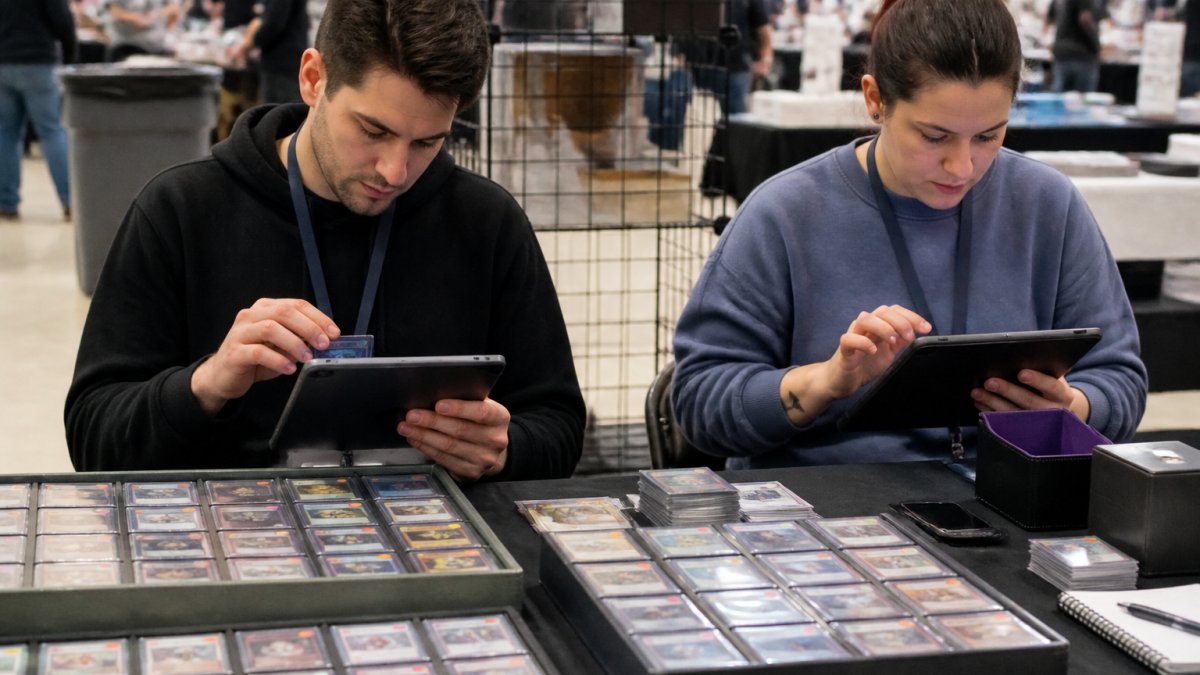
Dedicated multi-user inventory software solves this through centralized data and user attribution. Every change is logged with who made it and when.
Card Show Vendor's multi-user support is built for this scenario. One subscription covers up to six users, so your entire show team operates from the same inventory.
The attribution feature is particularly valuable for accounting. At the end of an event, you can see which team member generated which sales, adjusted which prices, or added which inventory. This matters for profit tracking, team performance evaluation, and financial reporting.
Sync Accuracy, Latency, and Conflict Resolution
Real-time sync isn't actually instantaneous. There's always some latency, the time between when a change happens on one device and when it appears on another. For most platforms, this is milliseconds to seconds. But during peak traffic (a busy show or sale event), latency can increase.
Sync accuracy depends on how the system handles conflicts.
Most dedicated inventory software uses "last write wins", the most recent change overwrites earlier ones. This works fine for most scenarios but can cause issues if changes happen simultaneously. Some platforms use more sophisticated conflict resolution, flagging simultaneous edits so you can review them manually.
For show vendors, this is less critical because the booth environment is typically one or two people managing inventory at a time. For large multi-user operations, understanding how your platform handles conflicts matters.
Which Sync Method Should You Choose?
The right approach depends on your operation's size, complexity, and sales channels.
Choose marketplace sync software (Sellbrite) if: You're selling primarily through online marketplaces like TCGPlayer, eBay, and Shopify, and need to prevent overselling across channels.
Choose spreadsheets if: You're a solo collector or small dealer with under 1,000 cards, selling primarily at one or two shows per year.
Choose cloud documents if: You want free, collaborative inventory tracking without software costs. Google Sheets works fine for basic tracking, though it lacks the specialized features of dedicated inventory software.
Choose card scanning apps if: You're importing a large collection quickly. Use scanning as a data-entry tool, then move the data into your primary inventory system.
In practice, many successful dealers use a hybrid approach: Card Show Vendor for event inventory and a spreadsheet for long-term collection tracking.
Managing trading card inventory at scale requires the right tools. You'll spend less time on inventory management and more time selling. Learn more about inventory management best practices, or get started with Card Show Vendor to see how event-scoped inventory management simplifies your operations.
Frequently Asked Questions
What is the best app for tracking card inventory?
The best app depends on your operation. For event vendors managing real-time sales and pricing, dedicated trading card inventory management software like Card Show Vendor offers multi-user sync with profit and loss reporting. For collectors building a personal collection, apps like Cards AI focus on card scanning and synced binders. For retailers syncing across multiple marketplaces, Sellbrite handles inventory reconciliation across channels. Consider whether you need event-scoped management, collection tracking, or marketplace integration to choose the right tool.
How do you keep trading card inventory synced across devices?
Sync trading card inventory across devices through cloud-based platforms that update in real time. Web and iPad applications automatically push inventory changes to all connected devices, ensuring your stock levels, pricing, and sales updates reflect instantly across your booth, back office, and online listings. Manual sync via spreadsheets or periodic imports is slower and prone to overselling. Real-time sync prevents duplicate listings and ensures accurate inventory reconciliation when you're managing sales at events and online simultaneously.
How can card sellers prevent overselling the same card?
Prevent overselling by syncing inventory across all sales channels in real time. When a card sells at your booth, the system automatically updates your online listings on marketplaces and removes it from your available stock. Spreadsheet-based tracking and manual price updates create gaps where cards can be sold twice. Automated sync with immediate delisting and stock-level updates eliminates these conflicts. Multi-user systems with attribution also prevent team members from double-processing the same sale, improving accuracy during high-volume events.
What features should a trading card inventory system track?
A strong trading card inventory system tracks card quantity, condition, set, pricing, and sales history. For vendors, it must include real-time pricing updates, profit and loss reporting, and inventory reconciliation across platforms. Multi-user support with attribution shows which team member processed each transaction, improving accountability and financial tracking. For collectors, the system should track collection value and enable card scanning for quick import. For retailers, marketplace integration and automatic delisting prevent overselling and keep stock levels accurate across all sales channels.
Can multiple users update the same card inventory in real time?
Yes, dedicated multi-user inventory management systems allow multiple team members to update stock simultaneously. Platforms designed for card vendors support real-time sync so that when one user scans a sale or adjusts pricing, all connected devices reflect the change instantly. User attribution tracks who made each change, which is essential for profit and loss reporting and team accountability. Spreadsheet-based systems lack this capability and require manual merging, creating conflicts and delays. For teams working shows together, real-time multi-user sync is essential to prevent overselling and maintain accurate pricing.